Workflows
A collaborative system for orchestrating data pipelines.
Treasure Data Core Data Platform
UX Design Lead
About
Advanced data orchestration functionality needed to be migrated from a command line prototype and unified with our GUI-based product ecosystem. However, the original architecture was designed for a highly technical user while our new market vertical demanded a tool that would fit less technical users. Data objects had to be audited and re-calibrated to bridge operations between roles involved in interacting with different parts of the same data infrastructure.
Democratizing Data Operations
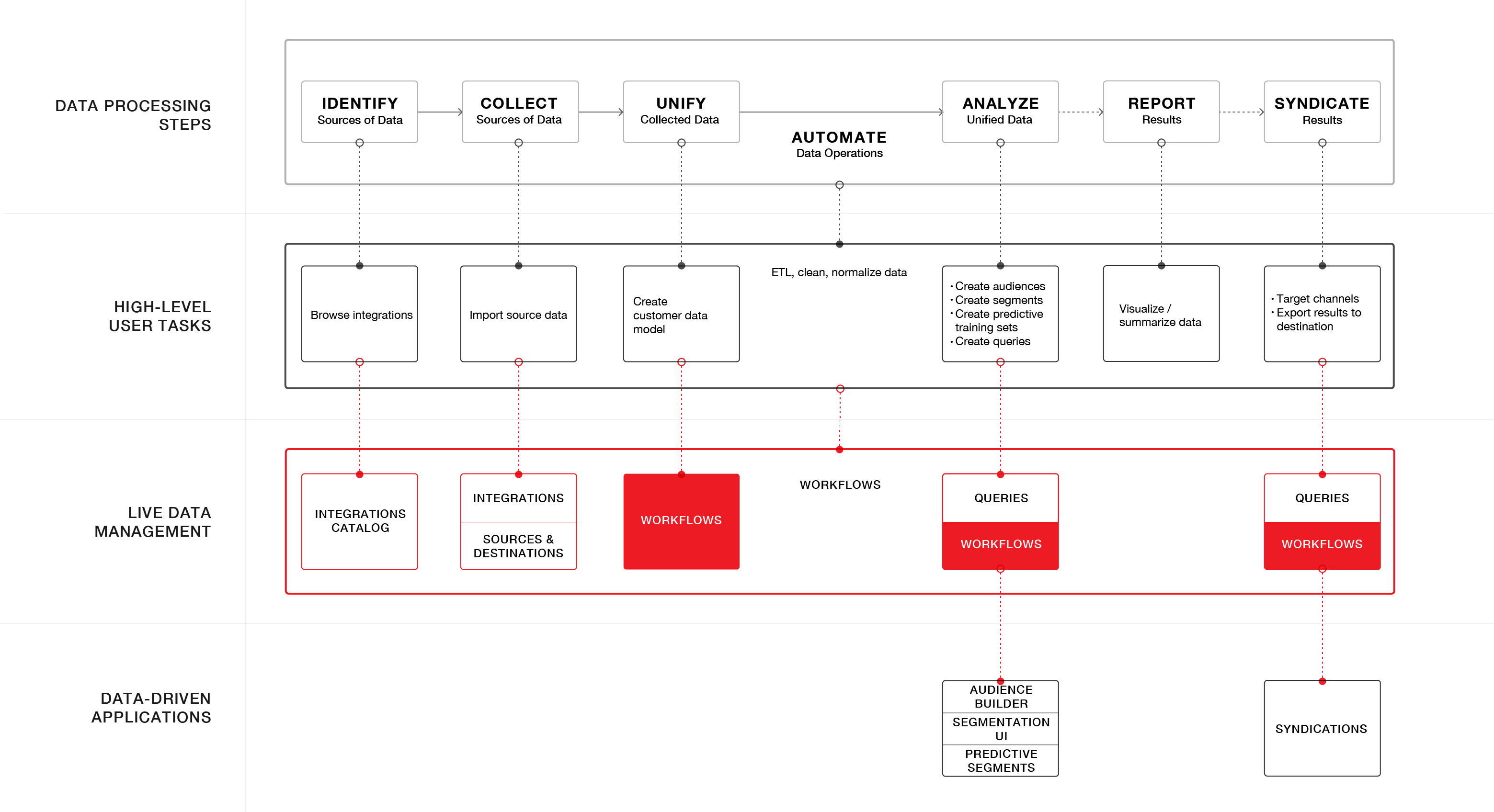
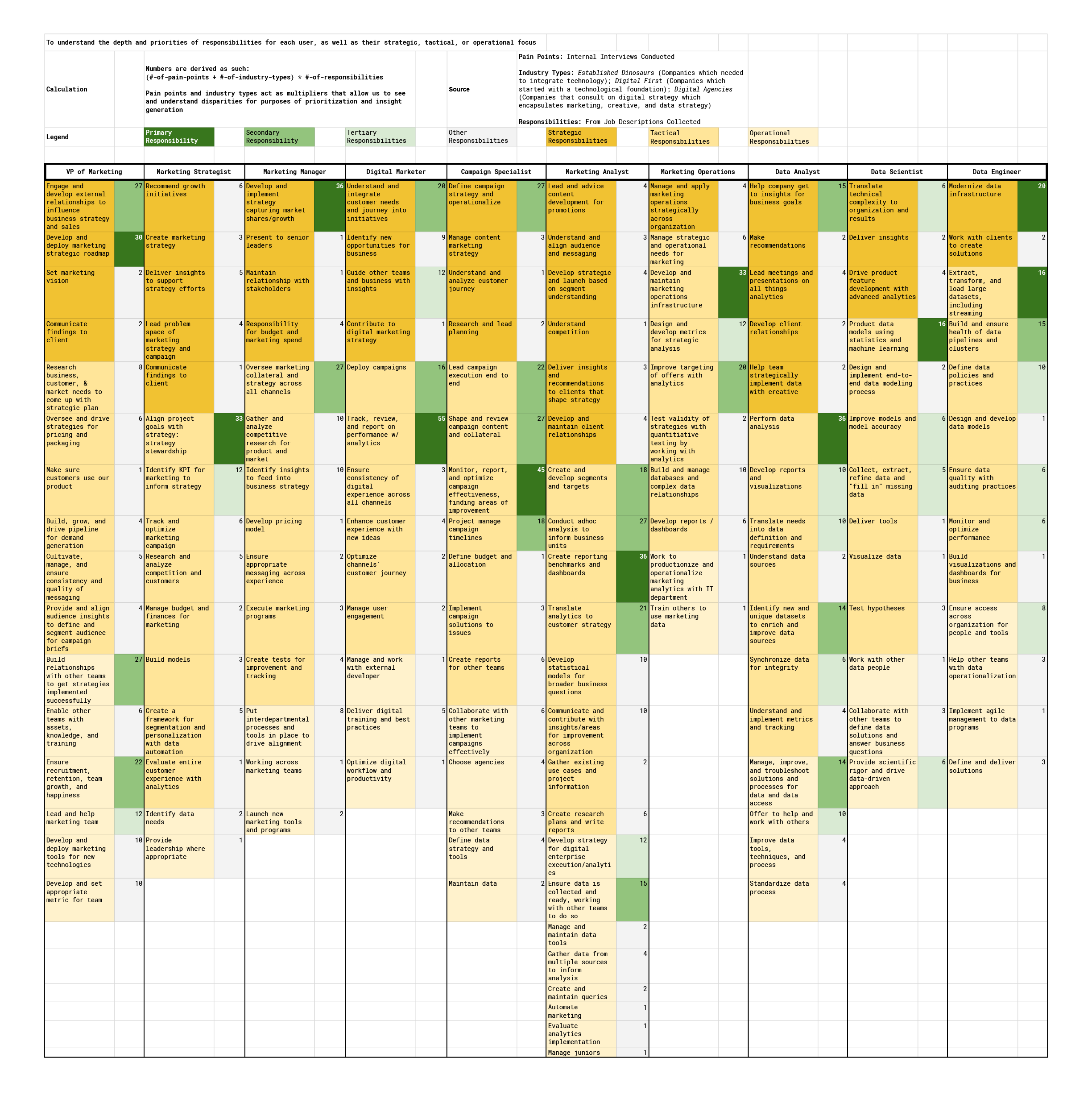
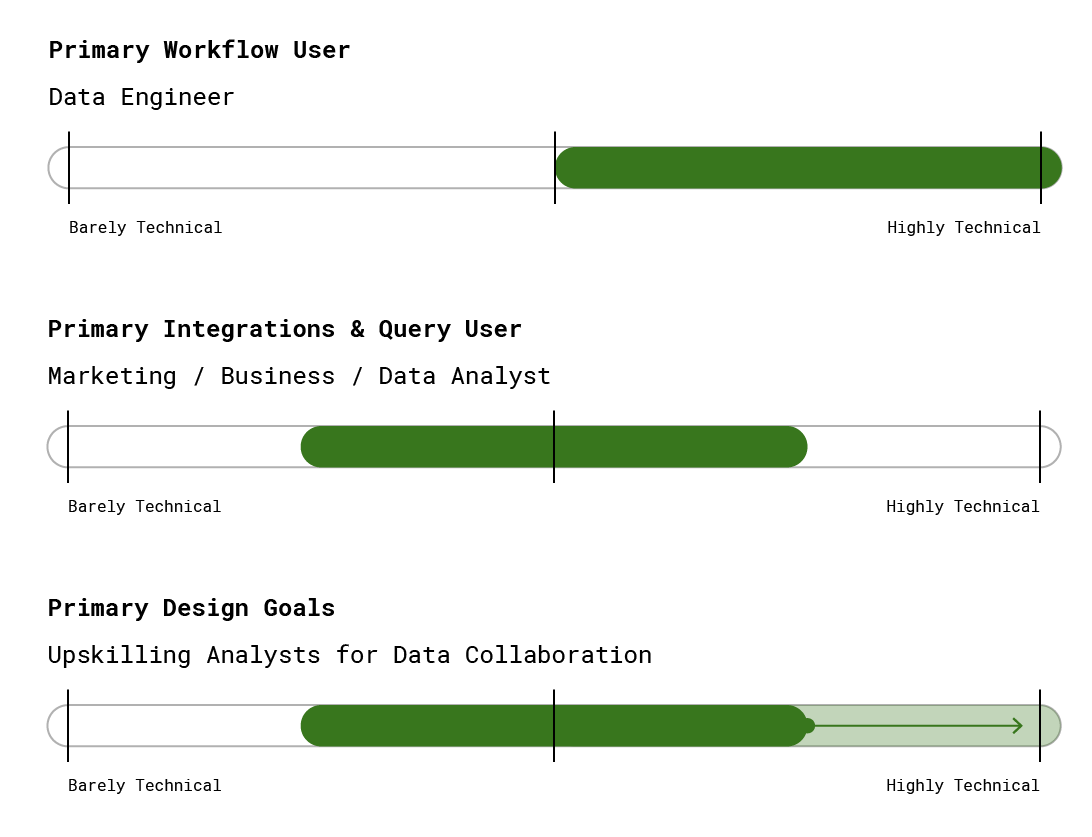
Given that our buyers were both SMBs desiring turnkey solutions and enterprise customers who needed high levels of configurability, our product goals were to design an experience that would meet the needs of both by strategically architecting an experience that could be generalized into extensible templates in the future while maintaining our core strength of high configurability in the present.
System Audits
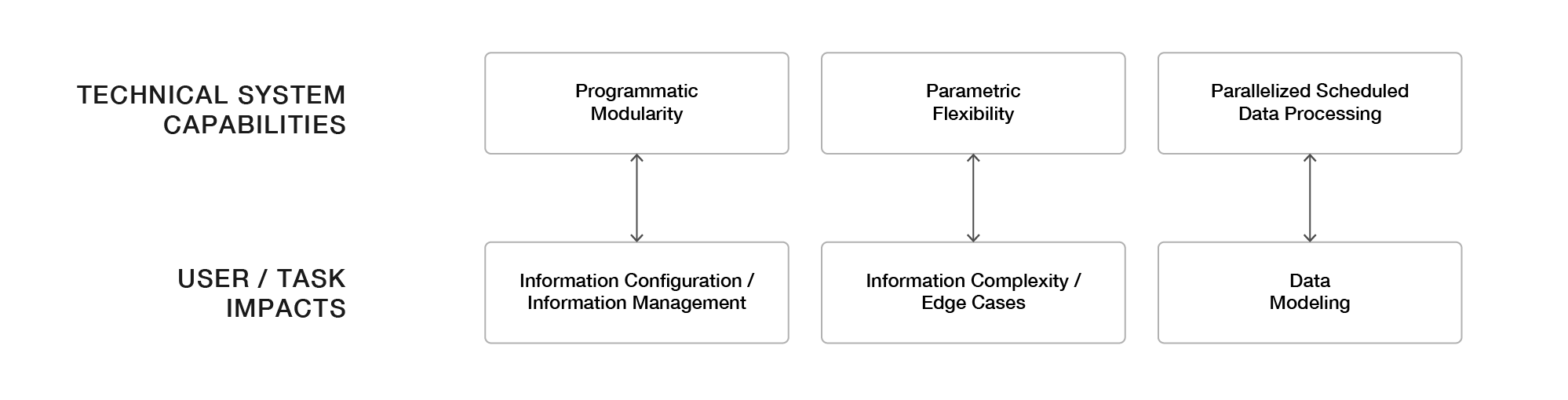
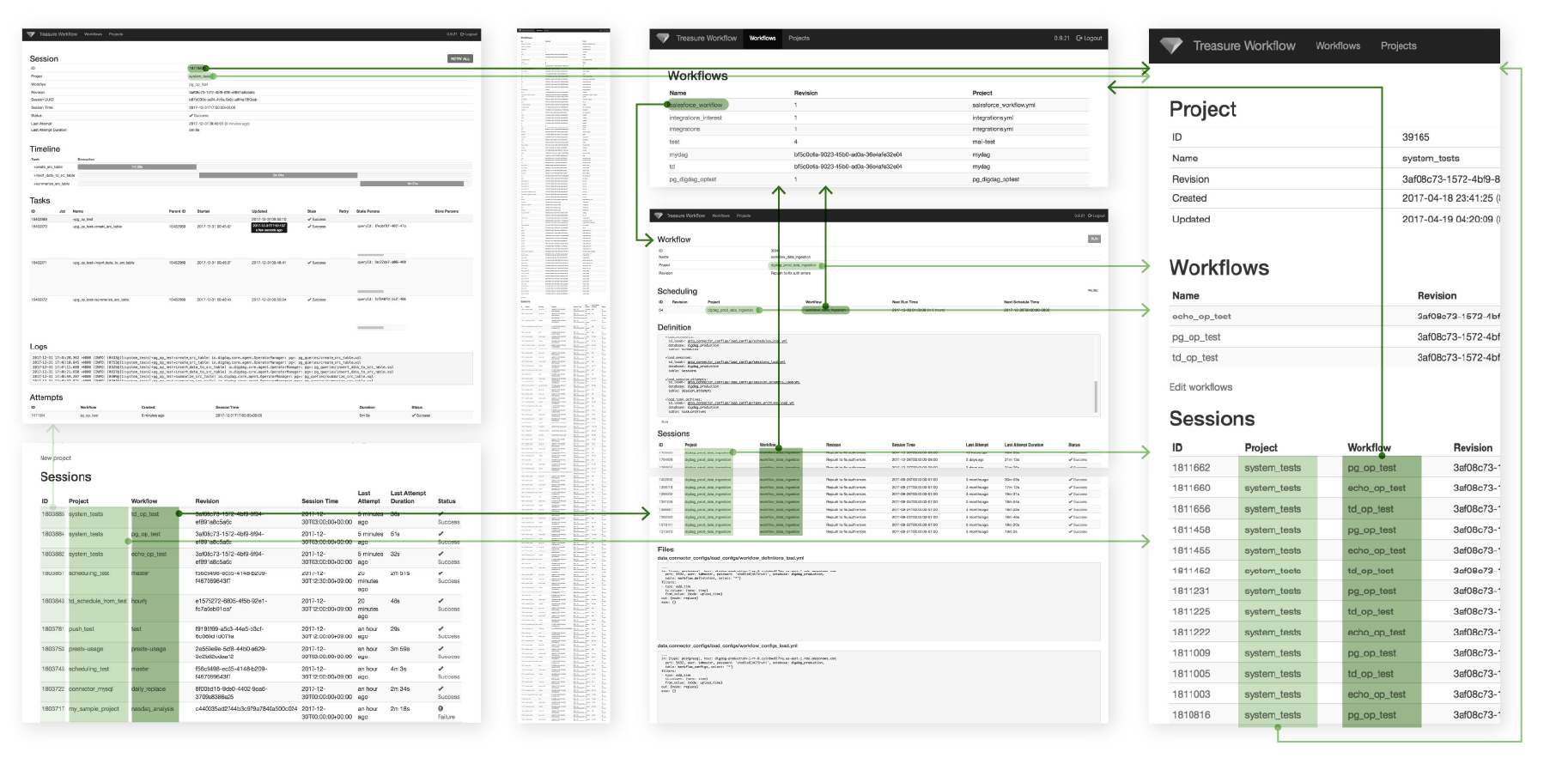
User feedback indicated that data analysts frequently misunderstood the concept of a
$session -- a far more dangerous problem than simply not understanding what a concept is.1
$session already has a meaning outside the product.
Users had pre-defined ideas of a workflow $session as being like a $userSession and/or $browserSession which, while similar, is still significantly different in purpose.
2
$session is incompletely understood within the product.
When a new $session is created, users relate $session to processing logic ($workflow), but not to data being processed ($sessionTime). Concept of $session includes both $sessionTime and $session because $sessionTime identifies the $session.
3
The purpose of a $session is especially unclear with less technical users who do not understand how to operationalize data.
$session’s usefulness is indeterminable until contextualized in error handling because it was designed to prevent data duplications and data drops. However, users need to define the $session in order to run the workflow.
$session is overloaded as a word to describe the object, we need to pick a new word that organically occurs with use, one that ideally reduces the multi-syllabic word salad problem that often occurs when trying to describe the things in a software system.$session and $sessionTime need to be renamed and/or re-architected for clarity. Words are important in that our sales and sales engineering team will repeatedly use them to describe what is happening. Further, a poorly chosen name becomes obvious in technical writing and documentation.Workflow Object Lifecycle Analysis
$workflow to understand what a user needed to do at each stage and the potential features we would need. During this exercise, I also generated as many questions as possible to explicate my assumptions for further research, design, and testing. In this exercise, I hypothesized that understanding $workflow failures would be a critical task for our users. After discussion with my product manager and technical team, we concluded that this would be absolutely true, especially if the $workflows would be automating data processing. We decided to orient the interface around monitoring.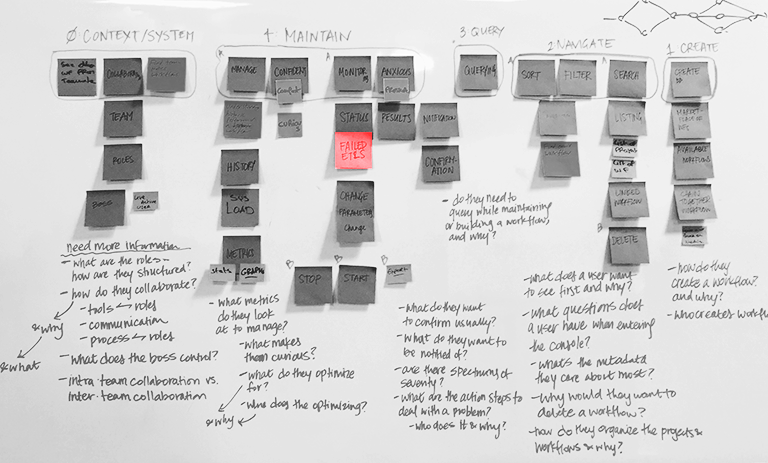
$workflow.$workflow is in production. Enabling users to resolve issues quickly is synonymous with good navigation.• What do users want to confirm?
• What do they want to be notified of?
• Are there spectrums of severity?
• What are the action steps to resolve a problem?
• Who does it and why?
Error State Object Inheritance
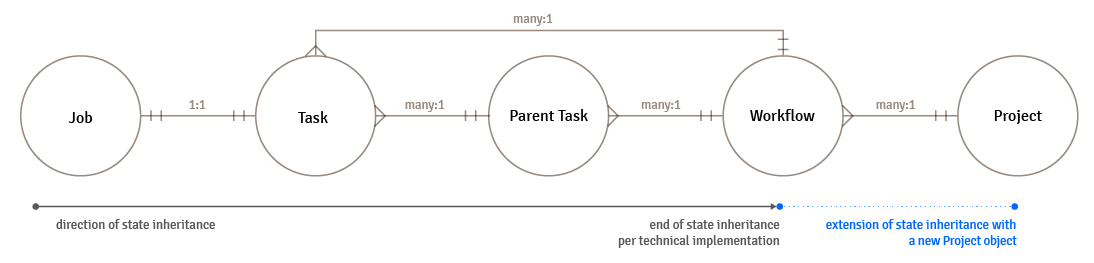
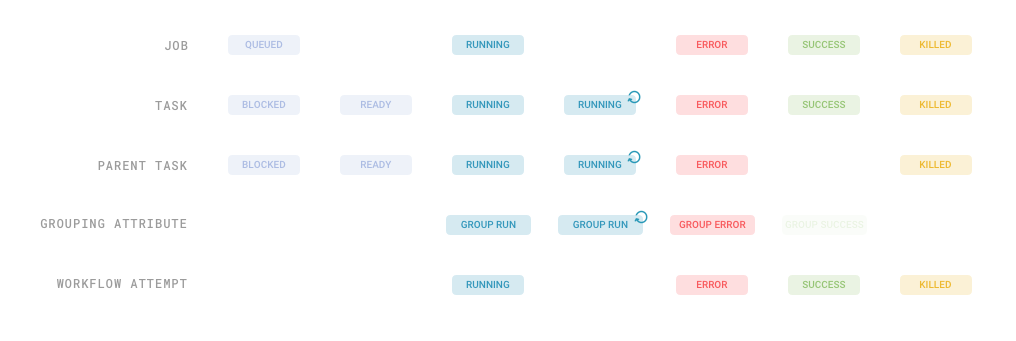
$workflow are hierarchical with multiple levels of states across different objects. These were structured to understand the direction of state inheritance.Through this exercise it became clear that a
$workflow is an unideal object to communicate child states-- there are too many of them for each client based on a quick query of the average number of workflows created per account. At the same time, $project were created to organize $workflows, but they have no communicative state properties that could be surfaced.$workflows was too proliferate to be meaningful, I designed a new property to the higher level $project that would communicate the state of a set of $workflows to the user, so that they could have a bird’s eye view of how they were operating. Adding a summative state property to the $project object would also make the purpose of the $project object more immediately clear to users by providing more context to the $workflows inside, creating an entry point for rapid drill-down.$project was later re-named to $group to be intent agnostic for the collection of $tasks.Product Design Explorations
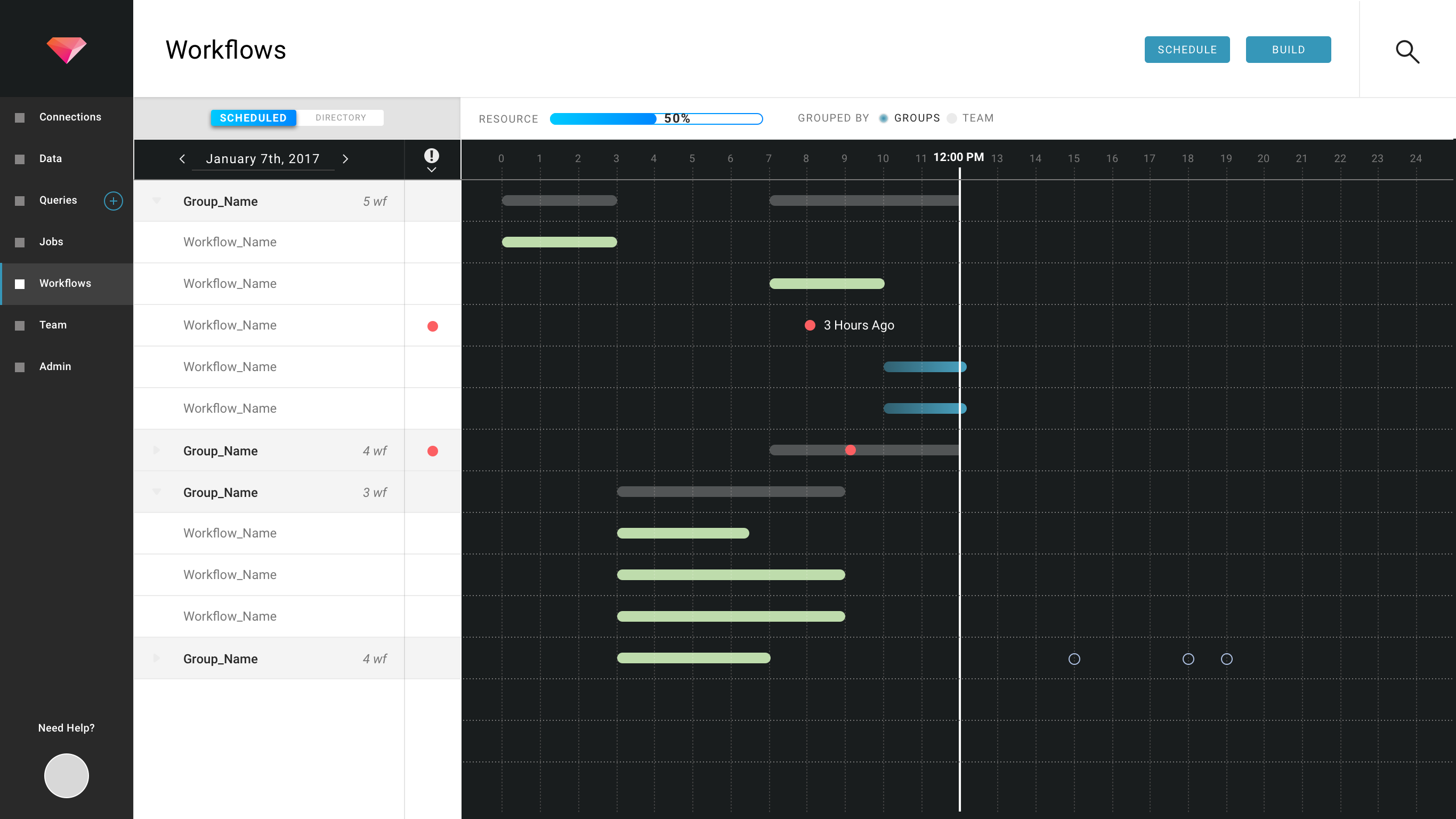
After running internal design workshops with leadership, I designed iterations of the Workflow Monitor. Challenges include the density of information that needed to be displayed, displaying information at the appropriate level of detail (project-level vs workflow-level) given the range of customers, and balancing tasks of finding a particular workflow vs finding workflows that failed.
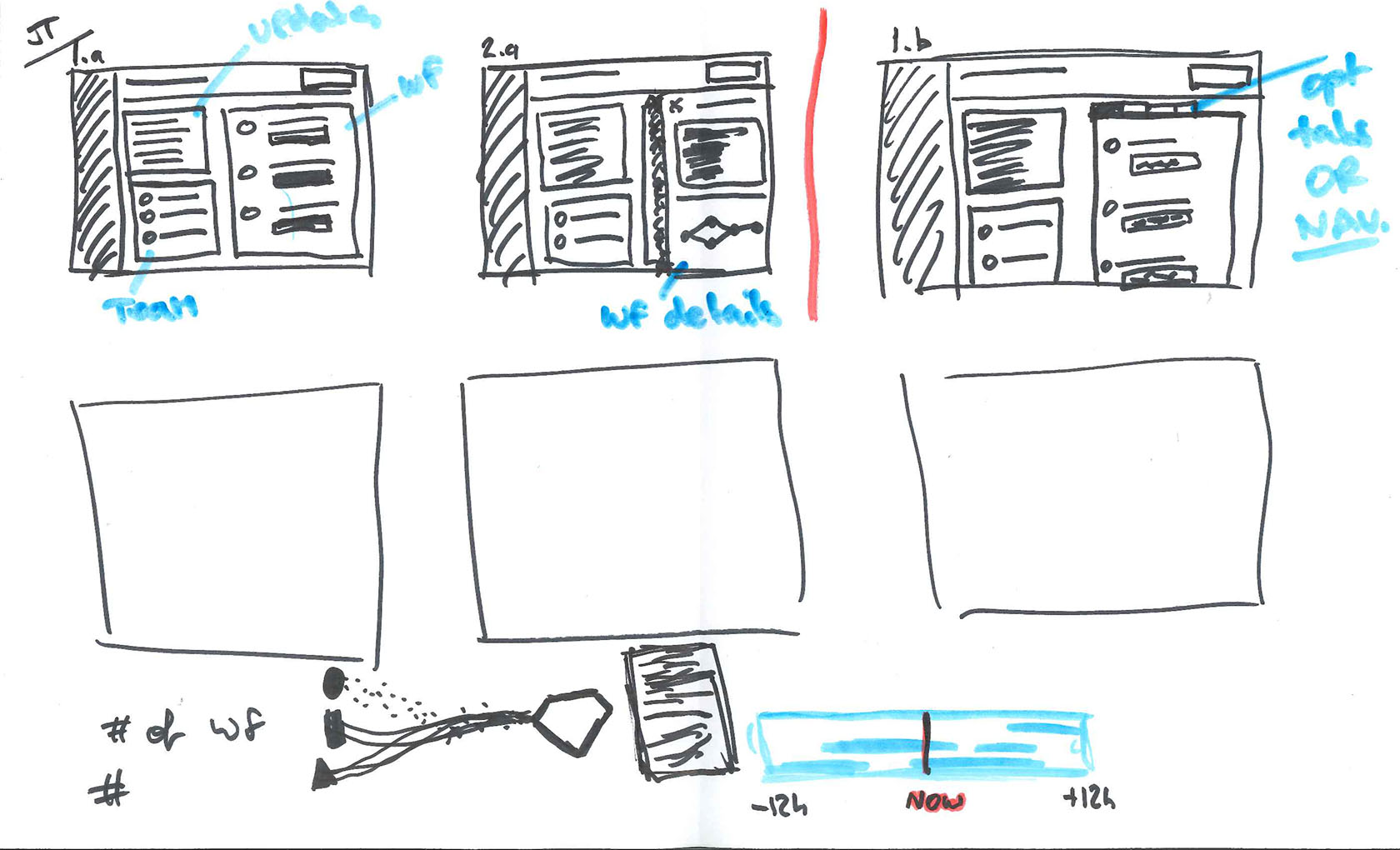
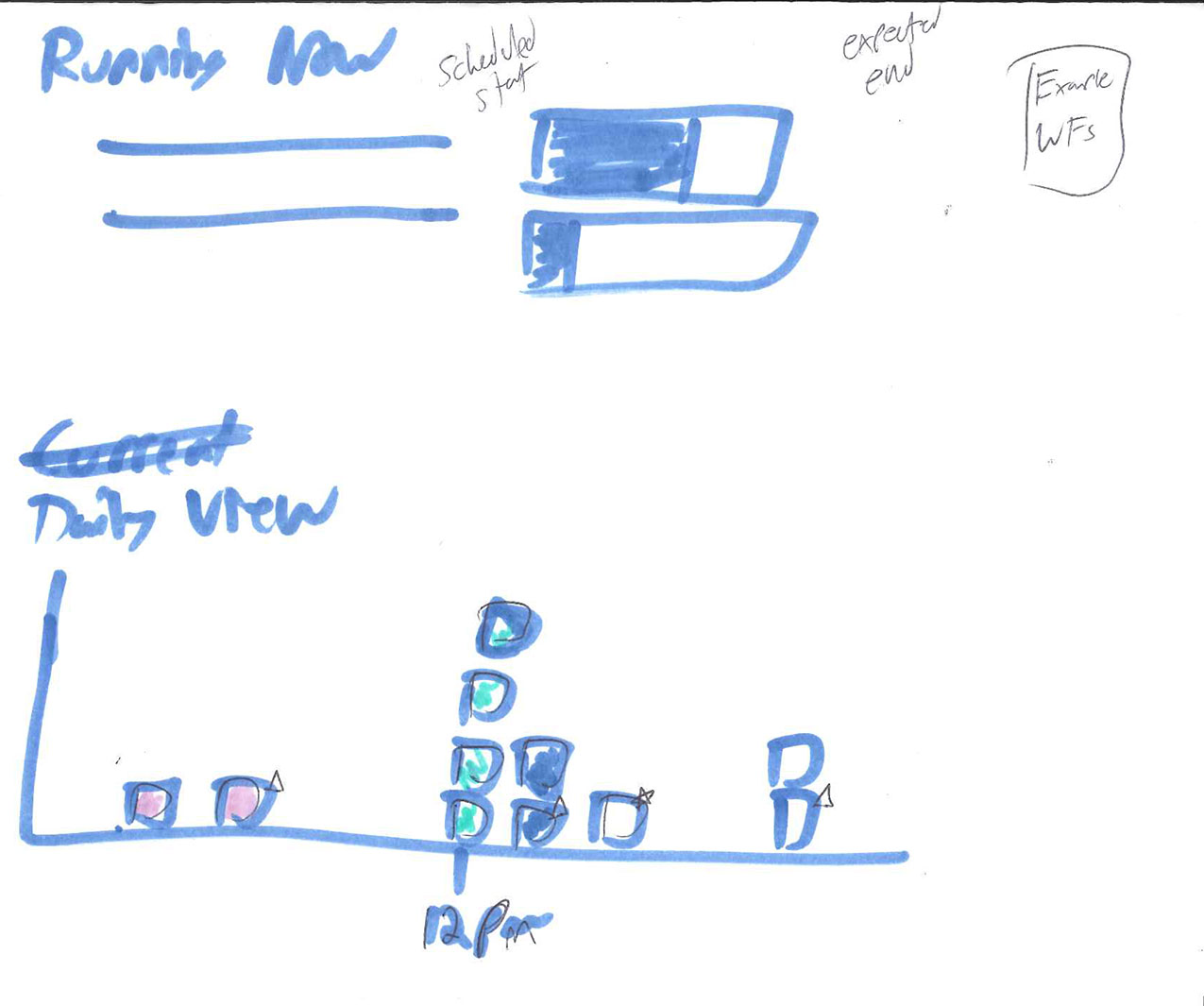
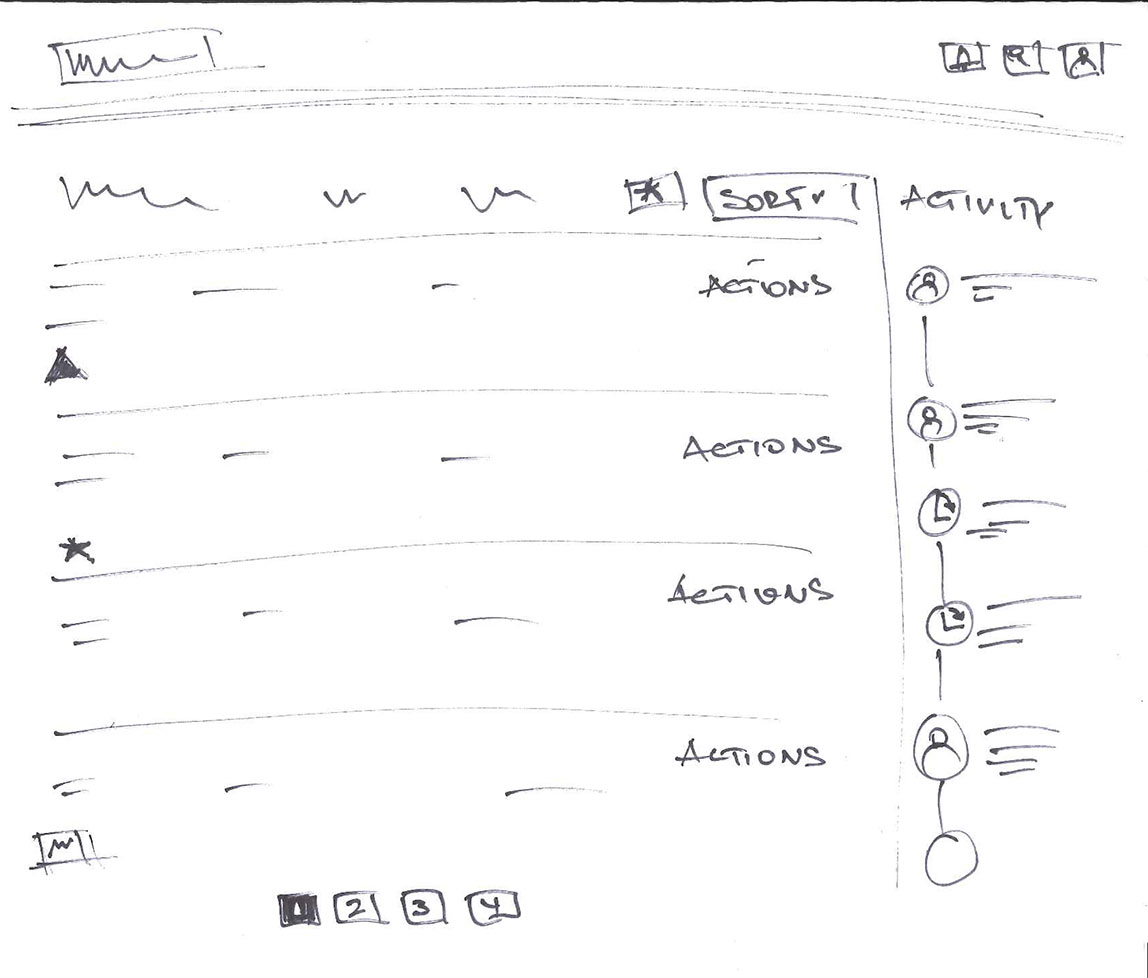
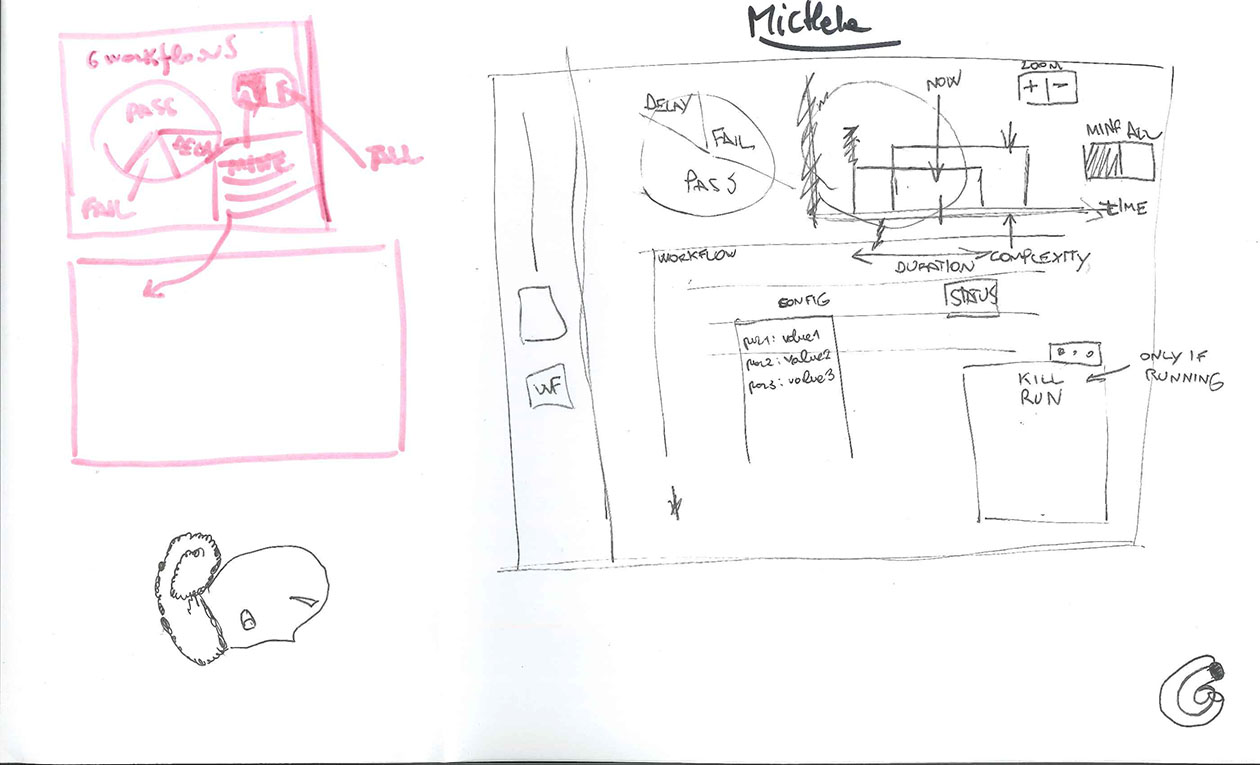
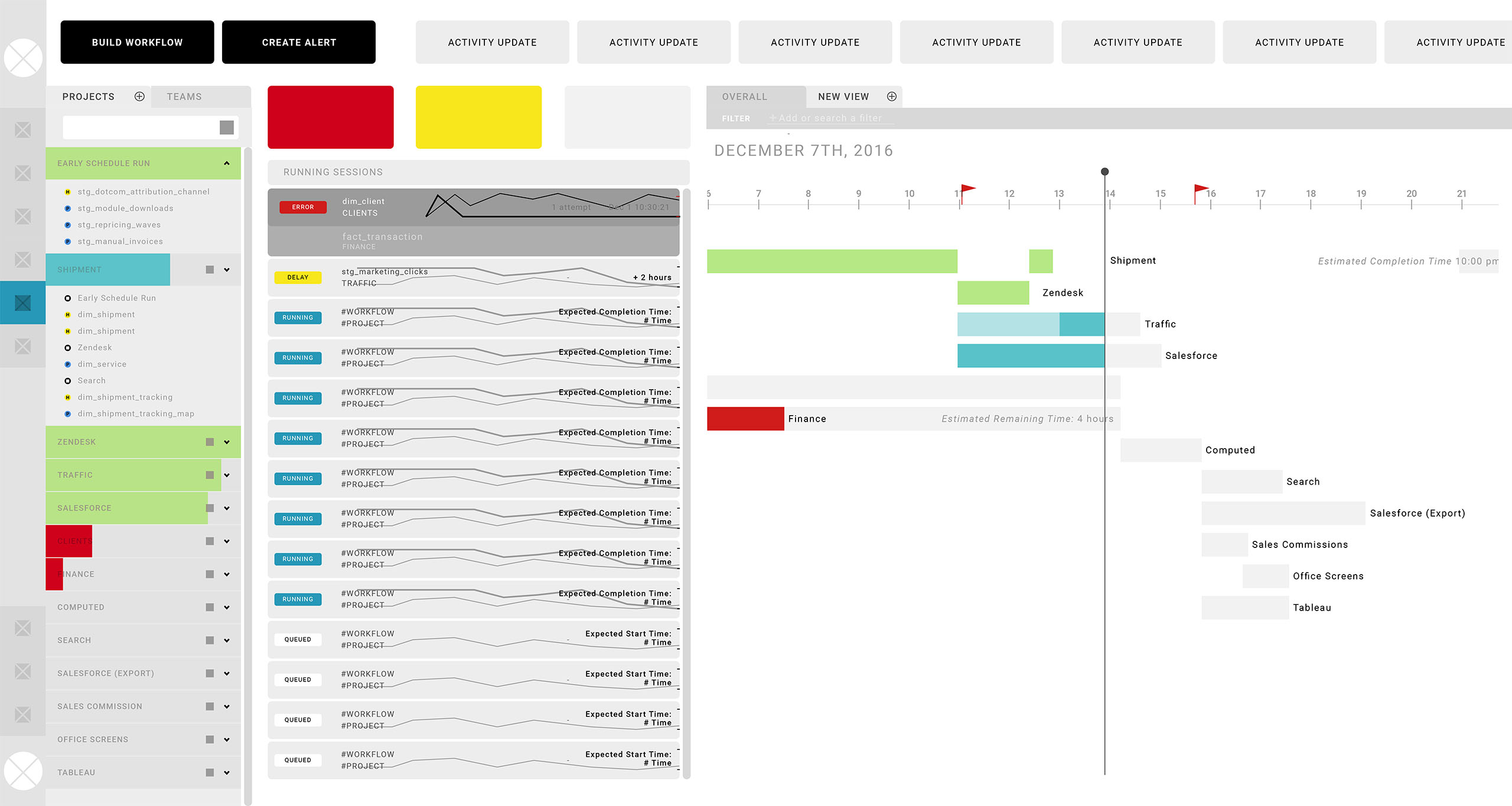
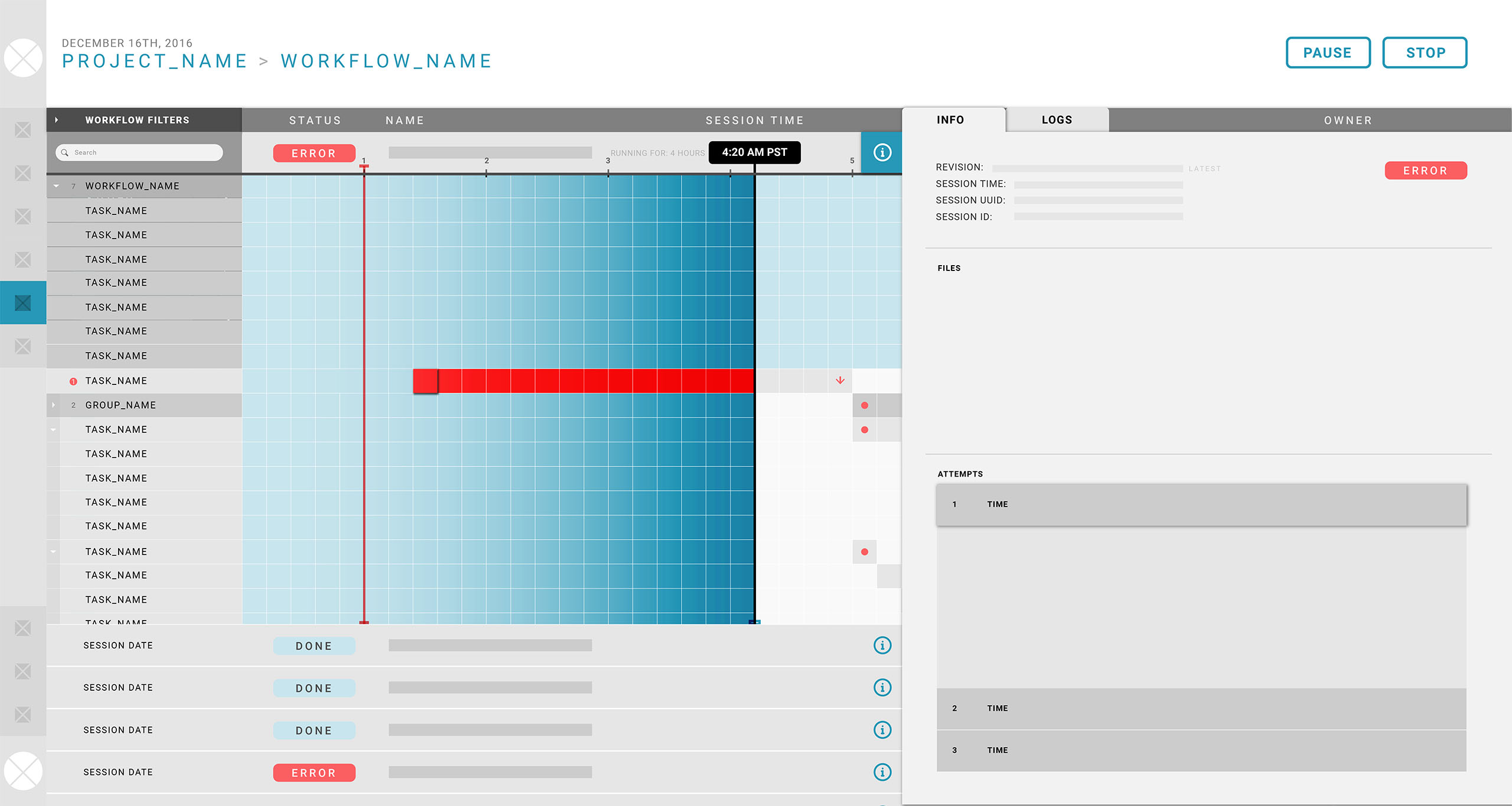
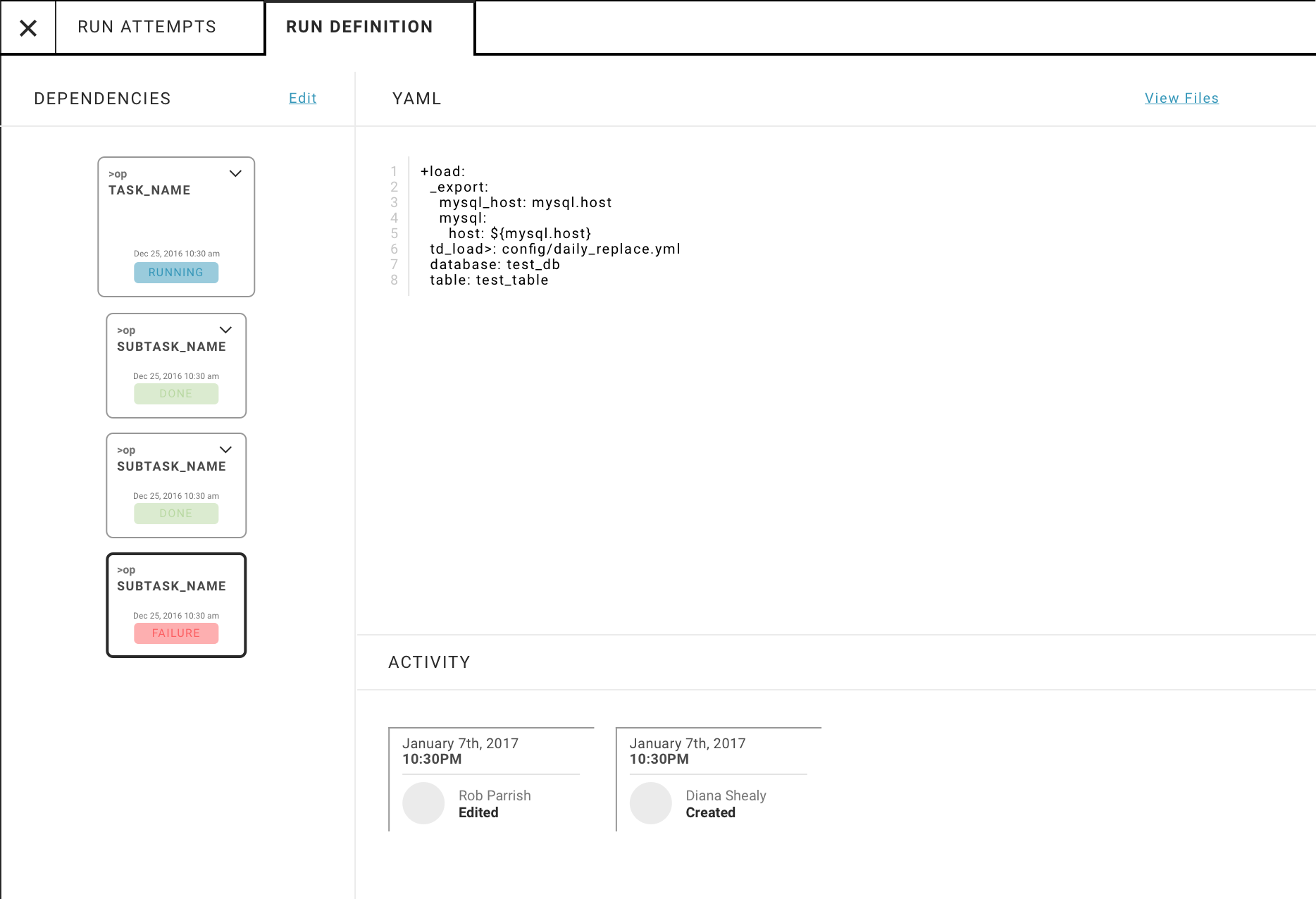
$workflows might be visualized in a drag-and-drop interface. While most of our users were currently power users, we anticipated that the construction of $workflows in the future might need a visual editor. Our $workflow $run definition overlay should display the visualization parallel to its YAML configuration to help with spot-checking structure and passively up-skilling analysts.$workflows was designed for monitoring, and iterations focused on structuring complex information for drill-down given the re-architecture. Early versions focused on an object-oriented ($projects ($groups) / $workflows / $tasks) vs. process-oriented ($workflows / $sessions / $runs) display.Product Line Vision
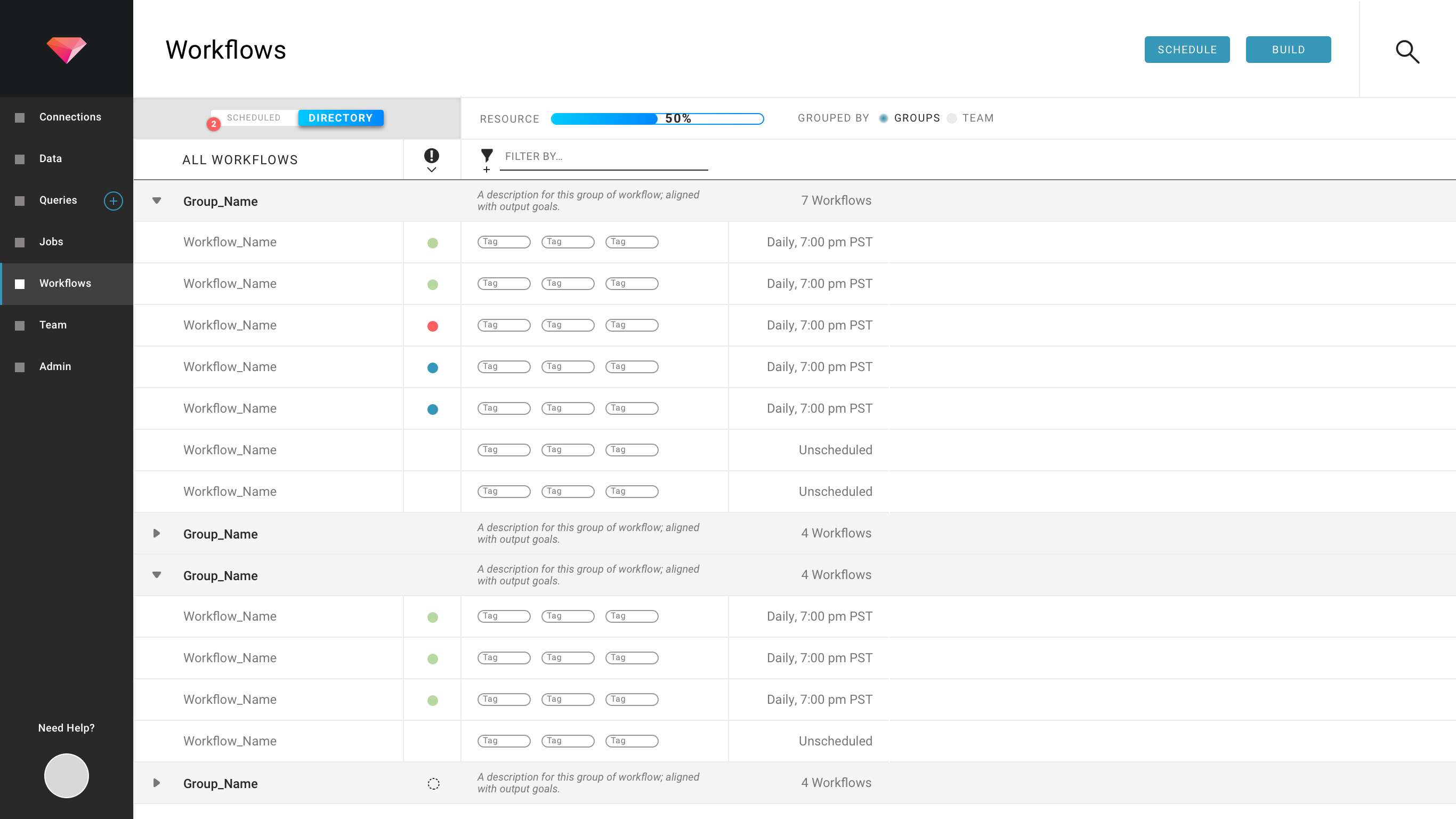
$group was chosen as the top-level object on the root screen given the number of existing $workflows. A filter was introduced to navigate across $workflowStates. Tags were introduced for bottom-up navigation to provide a mechanism to organize similar $workflows across $groups.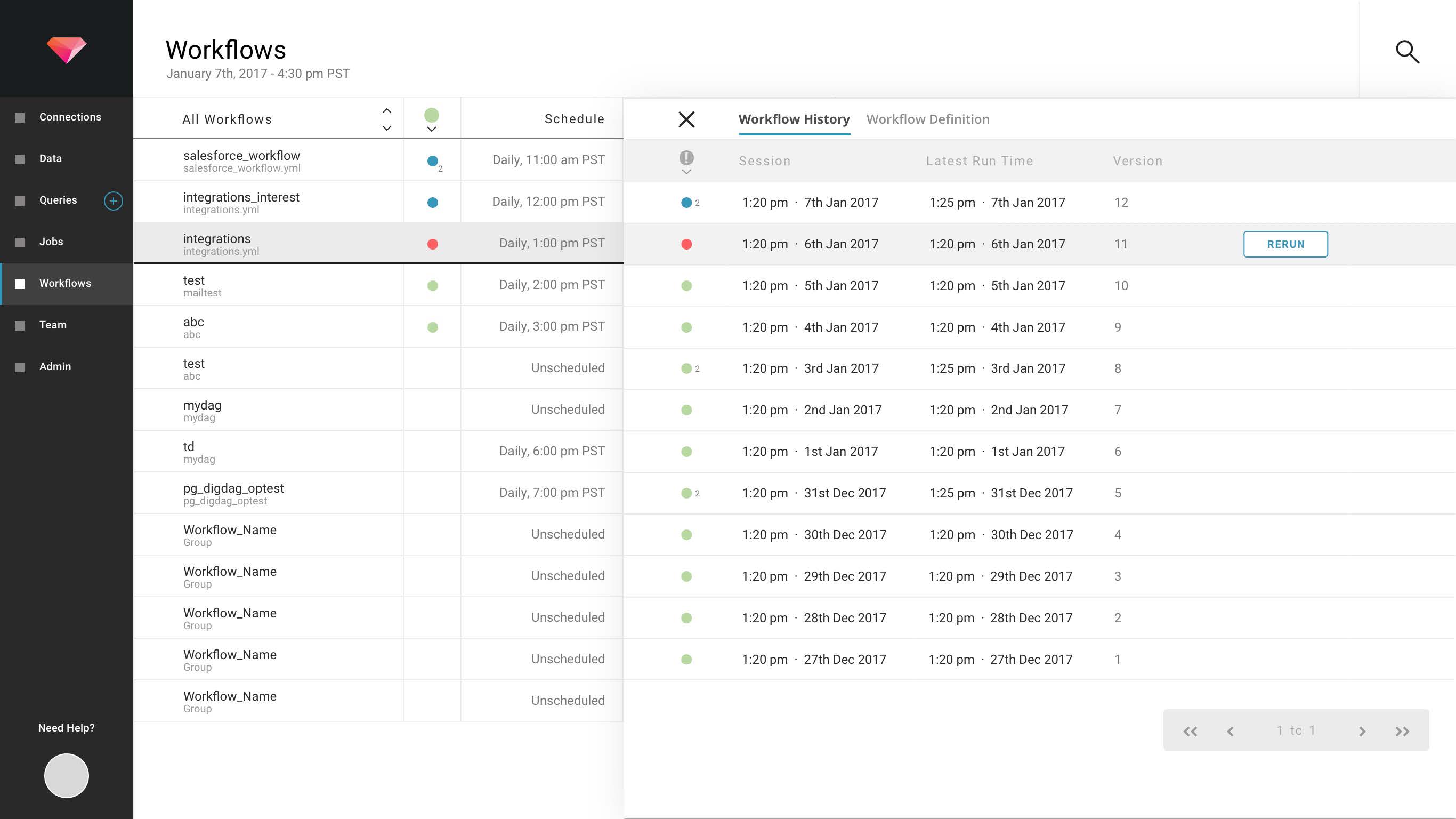
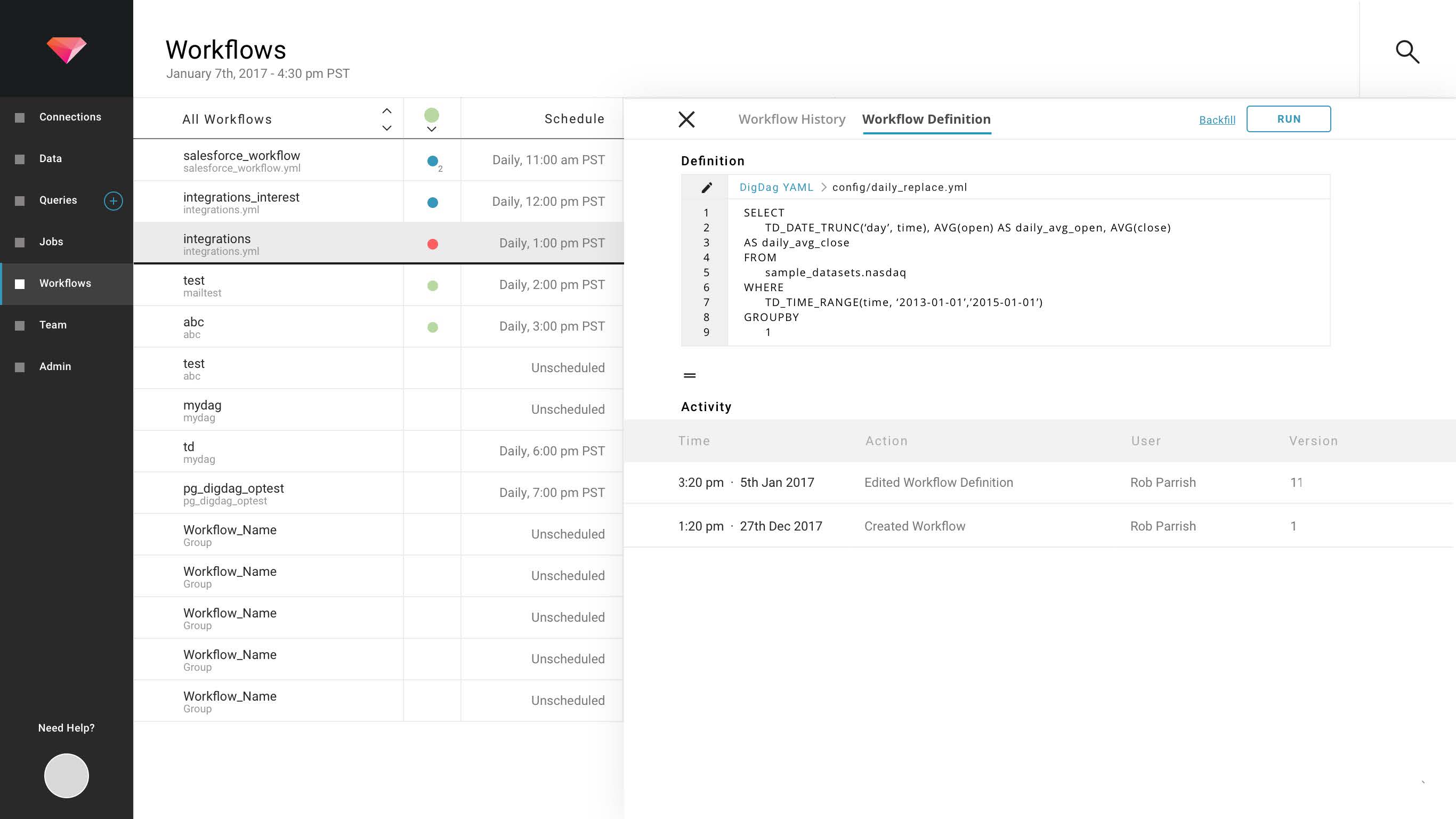
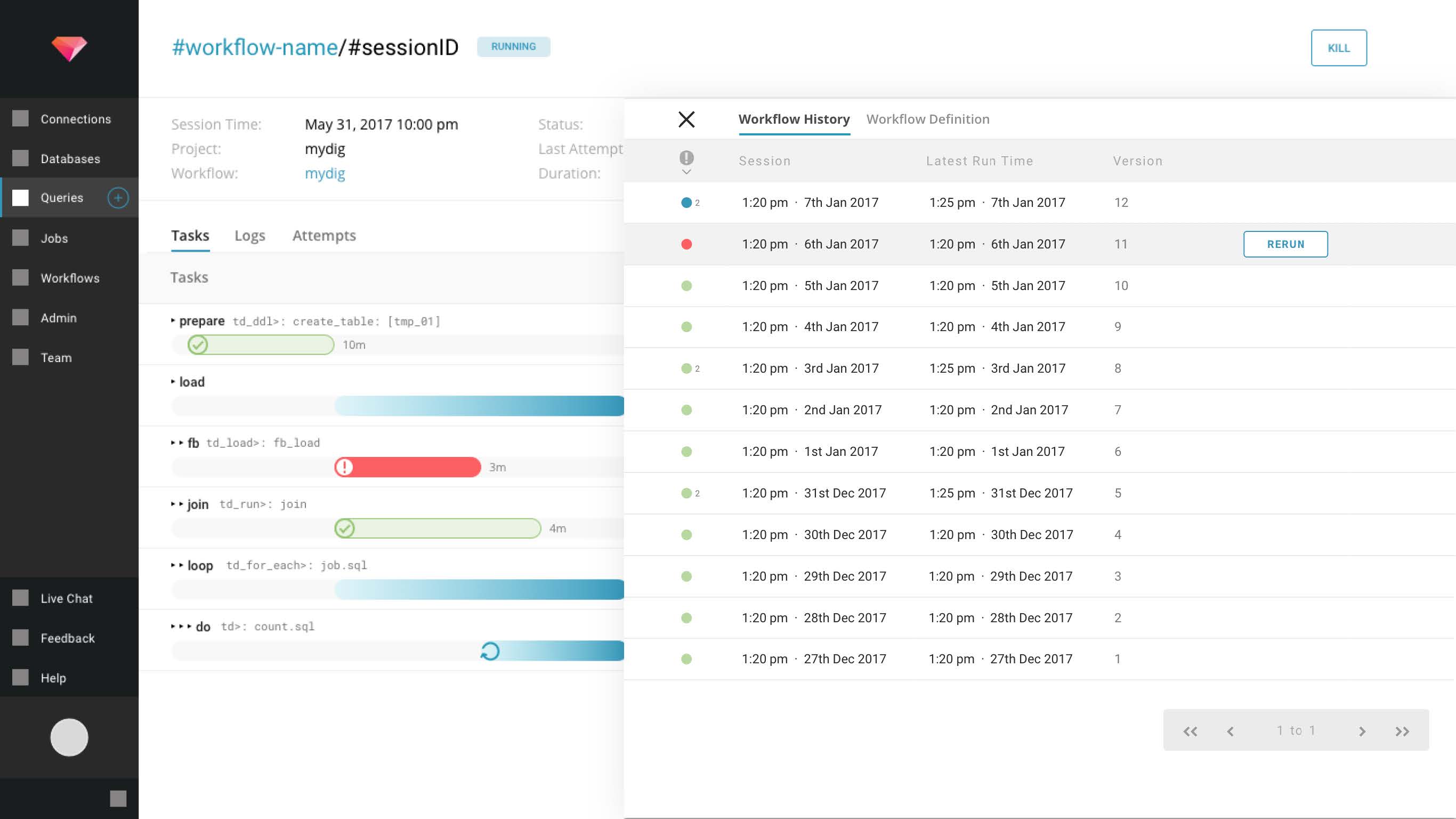
$workflow surfaces all its $sessions in an overlay. Terminology was carefully calibrated on the overlay to shape the concepts associated with a $workflow. Through columnar adjacencies, the user is able to understand a $workflow has a $session history with $runs. Two date-time parameters are shown to reinforce that there is a difference between the data scoped to $sessionTime and the data processing kick-off of $runTime. The $workflow definition is shown at the same level of the $workflow $session history to indicate that the definition is shared across $sessions.The choice of an overlay visually reinforced a
$session as a data management middle layer.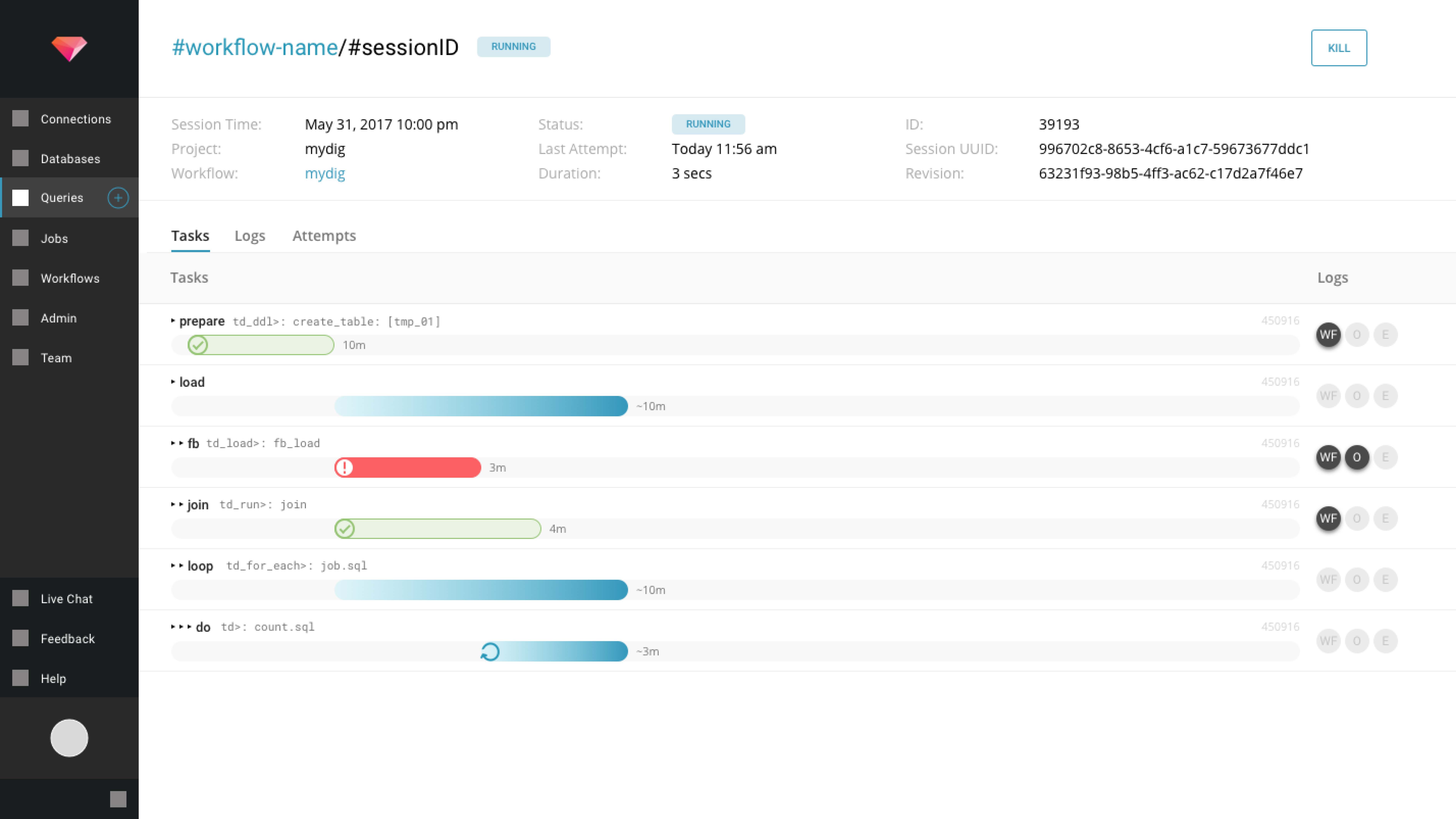
$workflow on the timeline would maintain monitoring mode on-click to show the progression of its latest $run at a $task and $subTask level. With the $run as the lowest-level object and site of failure investigations, the user is able to bypass selecting intermediary $sessions to target specific $runs.The
$run page reflects a $session in the header component to simplify the mental model further. The $runId and $attempt are treated as details instead of first-class objects.Users can click on the
$session's $workflow to surface the same $session history overlay that displays a list of all $runs.Timeline UI details changes subtly to indicate a shift in scale.
State Design
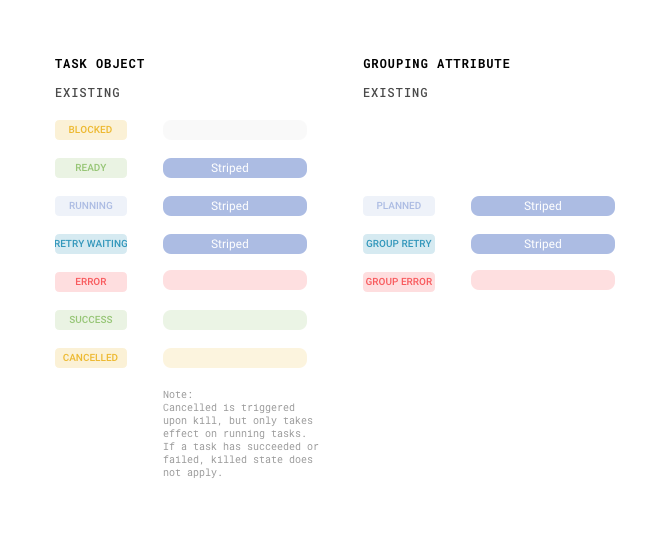
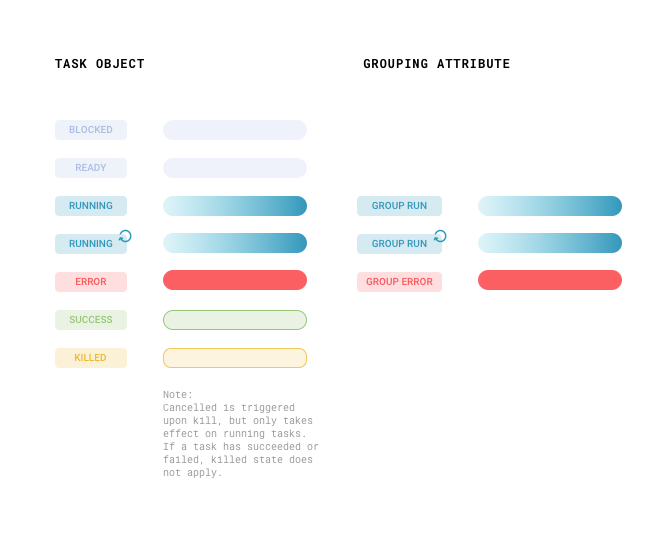
$groups, $sessions, $runs, $tasks, and $subtasks were designed for coherence and structural consistency.